
How to Set Up an Emergency Hub for Elderly Parents Using Amazon Alexa
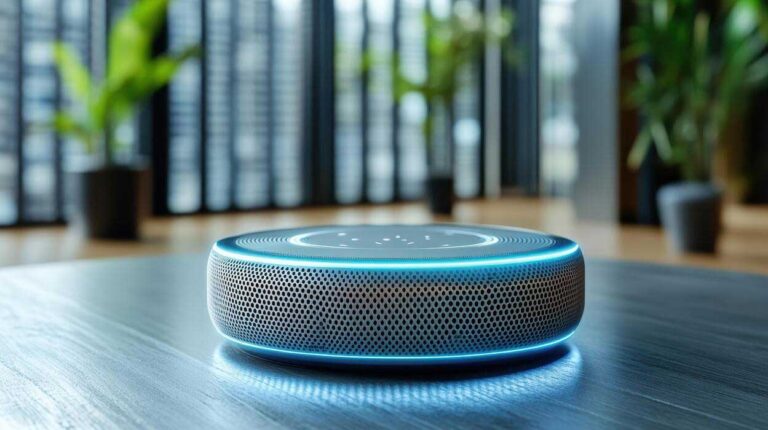
An emergency hub does not need to be complicated to be useful. For many families, a simple Alexa setup can make daily life safer, reduce confusion, improve reminders, and make it easier for an aging parent to get help quickly when something feels wrong.
The mistake people make is either doing nothing or overbuilding a tech setup that an older adult will never actually use. A good emergency hub should be simple, easy to remember, and built around the real problems your parent faces at home.
This guide shows you how to build a practical Alexa-based emergency hub for an elderly parent, what devices are actually useful, and what to avoid if you want the setup to be helpful instead of annoying.
A simple setup can reduce risk without making home feel complicated
Older adults living at home often do not need more gadgets. They need fewer points of failure. Missed reminders, dark hallways, confusion during stressful moments, difficulty reaching a phone, and inconsistent routines can all make home life less safe than it should be.
A well-planned Alexa setup can help create a calmer, more predictable home environment, especially when it is designed around daily use instead of tech novelty.
The goal is practical support, not flashy automation
A useful emergency hub should help with a few clear things:
- Make it easier to call for help or contact family
- Support medication or routine reminders
- Improve nighttime safety with better lighting
- Reduce confusion during common daily tasks
- Create simple routines that make the home easier to manage
If the setup is too complicated, it will not get used. That defeats the point.
The simplest starter setup
1. One Alexa speaker in the main living area
Start with one device in the room your parent uses most. For many homes, that is the living room or bedroom. Do not scatter multiple devices everywhere on day one unless your parent already uses voice tech comfortably.
2. A second device only if it solves a real problem
A second Alexa device often makes sense in the bedroom if nighttime safety is an issue or if your parent spends most of the day in a bedroom-chair setup. If there is no clear benefit, skip it.
3. Smart bulbs or smart plugs for lighting
This is one of the highest-value upgrades. Better voice-controlled lighting can make nighttime bathroom trips safer and reduce fumbling for switches in the dark.
4. Reminder routines
Medication reminders, meal reminders, hydration prompts, and bedtime routines are often more useful than anything flashy.
5. Clear emergency contact planning
The setup should make it easier for your parent to contact the right person quickly. That means deciding in advance who should be called first and when.
| Device or Feature | Why It Helps | Priority |
|---|---|---|
| Alexa speaker | Voice access for reminders, routines, and contact help | Essential |
| Smart bulb or smart plug | Improves lighting safety, especially at night | High |
| Reminder routines | Supports medication, meals, hydration, and daily structure | High |
| Second Alexa device | Useful for bedroom or second high-use area | Optional |
| Medical alert device | Adds direct emergency support beyond Alexa routines | Situational |
Build the hub in the right order
Step 1: Start with the room that matters most
Put the first Alexa device where your parent spends the most time or where help is most likely to be needed quickly. In many homes, that means the living room or bedroom.
Step 2: Create only a few simple voice commands
Do not overload your parent with ten routines they will never remember. Start with a few simple ideas:
- Turn on the lights
- Call my daughter
- What time is my medication reminder?
- Good night
- Help me remember my appointment
Step 3: Set up lighting routines
Use Alexa with smart bulbs or plugs to make key lighting easier. Bedside lamps, hallway lights, and bathroom-route lighting are the best first targets.
Step 4: Add daily reminders
Use voice reminders for things your parent already forgets or delays. Medication times, meals, water, appointments, and bedtime routines are the strongest use cases.
Step 5: Test it under normal conditions
The setup is only useful if your parent can actually use it when tired, distracted, or mildly stressed. If the commands are too complicated, simplify them.
What Alexa can actually do well in an aging-in-place setup
Lighting support
This is one of the strongest use cases because poor lighting is a real fall risk. Better voice-controlled lighting can improve safety without demanding much learning.
Routine reminders
Alexa is useful for recurring prompts that create structure. That can help with medication, hydration, meals, and appointments.
Simple contact help
An Alexa device can help reduce friction when your parent wants to reach a family member quickly without searching for a phone.
Lowering caregiver mental load
If the right reminders and routines are in place, family members do not have to manually cue every single task throughout the day.
Do not confuse convenience tech with emergency care
This is where people get sloppy. Alexa can help with routines, lighting, reminders, and contact support, but it is not a complete replacement for a medical alert system, direct caregiver support, or broader home safety planning.
If your parent is already having falls, serious mobility decline, or clear safety issues, tech should support the setup, not distract from the bigger problems.
What families often get wrong with elder tech setups
Adding too much tech too fast
Too many devices and too many routines make the setup harder to use, not easier.
Using commands that are too complicated
If the commands are unnatural or hard to remember, your parent will not use them consistently.
Solving imaginary problems instead of real ones
Start with issues that already exist: poor lighting, missed reminders, confusion, and trouble contacting help. Do not build around fantasy use cases.
Assuming Alexa alone makes the home safe
Elder tech can help, but it does not replace fall prevention, bathroom safety, mobility support, or a better home setup.
Good fit situations for an Alexa emergency hub
- An older adult lives alone or spends long periods alone
- Medication or routine reminders are being missed
- Nighttime lighting is weak
- Caregivers want less day-to-day reminder friction
- The parent can still use simple voice prompts reliably
This kind of setup works best when it reduces real daily stress instead of just adding more devices to the house.
Want to make home safety smarter without making it more complicated?
Start with practical elder tech, then build out lighting, reminders, and emergency support around the problems your parent actually has.
Common Questions About Using Alexa for Elderly Parents
Clear answers to the questions families usually ask before setting up voice-based support at home.
Yes, it can help with reminders, routines, lighting control, and easier contact with family. It works best when the setup is simple and built around real daily needs instead of too many gadgets or complicated automations.
Start with one Alexa device, voice reminders, smart lighting for key areas, and simple contact routines. Add more only if each addition solves a real problem.
Not always. Alexa can support communication and routines, but it does not replace a medical alert system or broader home safety planning when the risks are more serious.
Start in the room your parent uses most often or where support is most likely to be needed quickly, usually the living room or bedroom.
The biggest mistake is overcomplicating it. Too many devices, too many commands, and too many routines usually make the setup harder to use instead of more helpful.
The best emergency hub is the one your parent will actually use
A smart setup is only useful if it makes life easier in real daily conditions. That means fewer steps, clearer routines, better lighting, and practical support that fits how your parent already lives.
Start small, build around real risks, and avoid the temptation to turn a simple support system into a tech project your parent will ignore.

Claire Bennett is the Senior Home Safety Researcher and Editor at ElderlyTend. She writes practical guides that help older adults, caregivers, and families make safer decisions at home. Her work focuses on mobility aids, fall prevention, bathroom safety, bedroom safety, and aging-in-place support.
At ElderlyTend, Claire reviews product categories and home safety topics with a strong focus on real-life usability, comfort, safety, and everyday practicality. Her goal is to make senior care decisions easier to understand without the confusing language, exaggerated claims, or low-value advice that often fills the internet.